Missing emails? How to identify the cause and recover them


It may happen that you can no longer find an email message, or even you open your mailbox and find it completely empty. In general, this is unlikely to be a technical problem. Most of the time it is an unintentional user error or a misconfiguration. Sometimes you may find the messages in a different folder from the one you are checking.
In this article, we explain the most frequent causes of lost email messages, how you can recover them, and how to avoid losing them again.
Common causes
Some of the most frequent causes behind the disappearance of messages are the following:
- When you configure a new device with the POP3 protocol, it downloads incoming messages locally. The device reads them and then deletes them from the server. If you access the same account from another device, you find the INBOX empty.
- If you configure the mailbox with the IMAP protocol on multiple devices, pay attention when you delete messages. If you remove emails from one device, thinking you are freeing up space only there, the server deletes them centrally. As a result, the messages disappear from every device.
- Another situation where users need to be very careful is when they perform an action on a selection of multiple messages. If, for example, many messages are selected to be moved to a folder, an inattentive user may move them to the wrong folder or press delete instead of move.
A very rare case, but that can still occur, is the unauthorized access to your email account, or when someone gets in control of access credentials and intentionally deletes all messages.
How to identify the problem
To be able to understand which of the cases described above occurred, it is necessary to have access to tools for analyzing activities and logs.
Some email clients keep an activity log that shows when you deleted messages. However, this data alone is not enough: you also need to identify the workstation that performed the action to determine with certainty which event deleted the message.
Your email service provider has some details for each session of connection to the email boxes, such as the date and time of access, connection IP address, duration, amount of data transferred, and the number of messages deleted. If you match this information with the time of deletion, you can identify the station and the person who deleted the messages.
However, it is important to check whether the provider is available to supply this data to users in a complete and understandable way. Qboxmail has created special tools that are always available to its users.
How to recover deleted messages
If no one simply moved the messages to another folder, you must recover them from a recent backup.
We always recommend keeping an email backup. The most scrupulous users will have a personal one, perhaps stored locally, but it could also be the service provider who offers a convenient automatic backup service.
An important factor that should influence the choice of your provider is the backup service: if it is not provided, it may not be possible to recover messages deleted by mistake. In addition, you should always make sure that the backup is available to users. It may happen that the provider indicates the backup as present, but does not make data access available to users.
The tools designed by Qboxmail to find missing messages
The Qboxmail team has designed and developed two fundamental tools: Tracemail and Mail Time Machine.
These tools allow users
- to obtain detailed and easy-to-interpret information on messages they cannot find,
- to consult and restore messages after someone permanently deleted them.
Tracemail: the tool to understand what happened to missing messages
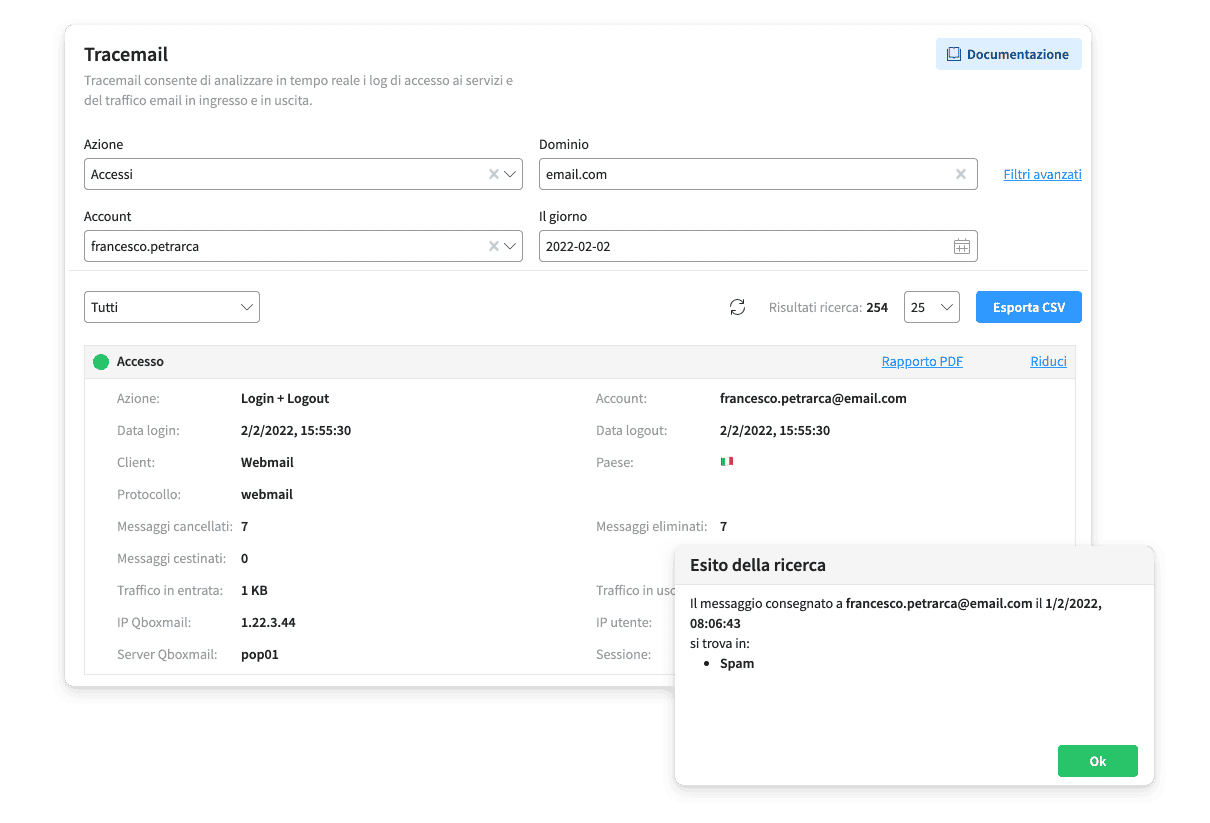
Tracemail is the Qboxmail tool that provides support to users who are looking for information on messages that have disappeared from their inbox.
In the Access section, it is possible to consult the number of messages deleted for each IMAP or POP session, as well as all the details relating to the session itself. By locating the deleted message, you can then determine during which session the action was performed. Furthermore, the logs can be exported in .CSV format so that they can be easily reprocessed by the user to obtain further information.
If, on the other hand, the missing email has not been deleted but only moved, another Tracemail feature is very useful: Locate Message. In a few clicks, you can find out in which folder, including trash and spam folders, the email you can not find is located.
To learn more about Tracemail, read here.
Mail Time Machine: verification and recovery of backups
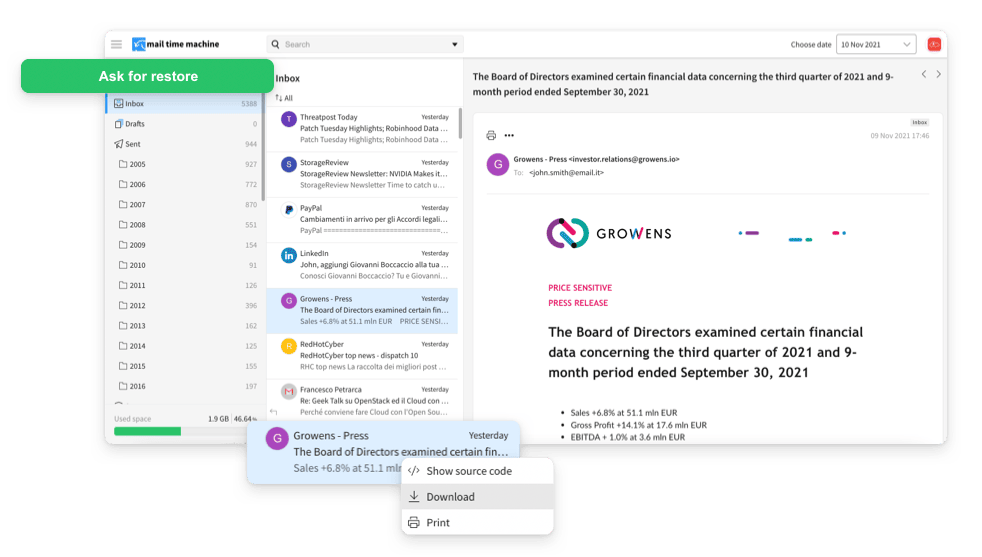
Mail Time Machine is another essential tool that Qboxmail makes available to its users. MTM automatically keeps backups of their mailboxes for 15 days and users have the ability to browse, download individual messages and even ask to restore all the messages in their mailbox on a specific day, thus recovering even the messages they thought they had permanently deleted. Restoring the messages will not cause the deletion of any message that has been received or sent from the mailbox in the meantime.
If you want to learn more about MTM, we talked about it here.