Discover Qboxmail’s webmail editor

Qboxmail’s webmail editor
format messages and signatures with HTML, add custom links and enjoy a 30% lighter, faster interface.
Qboxmail’s built-in editor has replaced TinyMCE to deliver a fast, stable writing environment right in your browser. Now you can format messages and signatures with HTML, insert custom links and keep your brand style consistent without any slowdowns.
HTML for messages
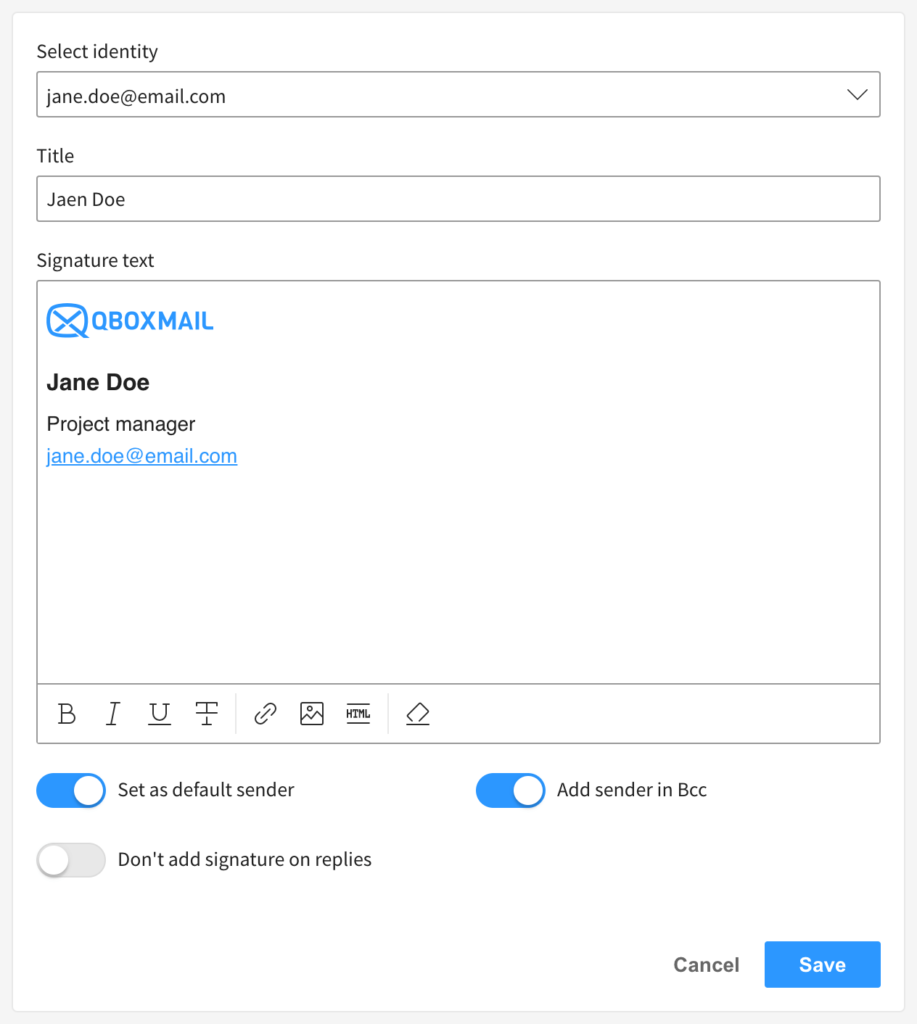
Messages and signatures share the same editor window. Add your company logo, paste HTML snippets or write simple paragraphs without ever switching tools. Click the “HTML” icon to paste your markup: tables, advanced styles and custom layouts will appear exactly as designed.
HTML for signatures
Creating a professional signature is just as easy. Use the same interface to embed logos, clickable links or HTML code. Each address alias can have its own signature, previewed live as you edit
Customizable links
Custom links keep your email layout clean. Select a word or phrase, enter the destination URL and forget about unwieldy, long web addresses disrupting your text.
And more …
You’ll also benefit from smooth writing and broad compatibility:
- optimization of bulleted and numbered list functions
- improved copy and paste of texts from Microsoft Word and tables from Excel
- improved visualization of images online, especially towards Gmail
- lightening of the editor’s code by about 30%
Thanks to our in-house architecture and to our R&D Team, we develops our Webmail from scratch.
The Qboxmail Webmail is not an existing project to which a new graphic design has been applied, but a real software developed totally from scratch, which integrates completely with all the other Qboxmail tools such as the Control Panel and the Qboxmail API.

Multilingual Webmail: All Languages Available on Qboxmail

Email migration from Google Workspace: what to know
