Business email migration: how to switch providers without losing data


How business email migration works
Switching to a new business email provider requires careful planning. This is especially important when you need to move several mailboxes and preserve your email history.
A migration to Qboxmail usually involves two separate but complementary activities: importing and migration.
Importing allows you to set up domains, mailboxes and aliases on the new service. Migration then transfers messages and folders from the previous provider to the new mailboxes.
Careful planning helps reduce the impact on users and lowers the risk of losing messages during the transition.
You can manage and schedule these activities from the Qboxmail Control Panel. Find out how to plan email imports and migrations.
What are the steps involved in migrating business email from one server to another?
A migration to Qboxmail can be organized into four main stages:
- Prepare the mailboxes
Before transferring the messages, set up the domains and mailboxes that will contain them in Qboxmail. You can create them manually from the Control Panel or, if you need to manage a large number of them, use the import procedure. In this case, you can automatically create all domains and email mailboxes by importing a properly formatted CSV file.
To prepare the import, create the CSV file with the list of domains and mailboxes, specifying the corresponding password for each mailbox. - Run the first email migration
To carry out the first migration, you need to create another CSV file containing, among other information, the name of each mailbox, its corresponding password, and the source IMAP server.
Once the CSV file has been uploaded, you can schedule and start the first migration. Qboxmail connects to the source server via IMAP and copies the messages to the new mailboxes, preserving the folder and subfolder structure.
During this stage, the previous service remains active, so users can continue using their email. - Change the MX records
Once the first migration is complete, Qboxmail notifies you and you can update the domain’s MX records, directing new incoming email to the Qboxmail servers.Whenever possible, schedule the change during a period of lower activity to further reduce the operational impact on users. - Run the final email migration
Between the first migration, the MX record change, and the DNS propagation phase, some messages may still be delivered to the previous provider.For this reason, after updating the MX records, it is advisable to run a second migration to retrieve any messages that were received by the old server during DNS propagation.
The migration process may vary depending on the source provider
The main migration stages remain similar across different providers. However, some preliminary steps may change.
Check the authentication method before starting the migration. You should also verify any IMAP restrictions and data access requirements.
Migrating from Google Workspace
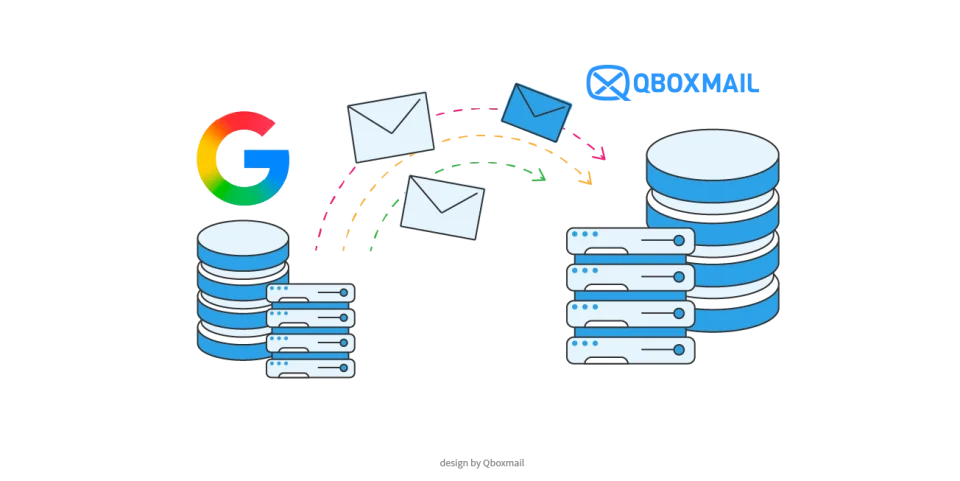
A migration from Google Workspace to Qboxmail uses the IMAP protocol.
Before starting, you need to configure the Google account correctly. This includes enabling IMAP access and preparing the required credentials.
Google also limits the amount of data that users can download via IMAP. Larger mailboxes may therefore require several migration cycles.
Read our dedicated guide to migrating email from Google Workspace to Qboxmail.
Migrating from Microsoft 365
Microsoft 365 requires some specific checks before you start the transfer.
Accounts that use OAuth2 authentication require an App Registration in the Microsoft environment. This authorizes access to the mailboxes during the migration.
Our dedicated guide explains the steps required to migrate from Microsoft 365 to Qboxmail.
Migrating from a dedicated email server
Companies, hosting providers and resellers may also migrate from their own email infrastructure.
If you have the required administrative access, you can transfer mailboxes in bulk. This reduces the manual work involved in the migration.
Find out more about how to migrate from a dedicated server to Qboxmail.
Switching email providers
Sometimes a migration starts with the decision to replace the current email provider.
You may want to review costs, management options or service features. In these cases, you should also consider how the provider handles the migration itself.
This includes the transfer of mailboxes, folders and email history.
If you use Rackspace, learn what to consider when looking for an alternative to Rackspace for business email.
Frequently asked questions about email migration
Can I lose emails or important data?
Careful planning helps preserve your email history when you switch providers.
The first synchronization copies messages while the previous service remains active.
After the MX record change, a second synchronization retrieves messages that reached the old server during DNS propagation.
For larger or more complex migrations, we also recommend testing a small group of mailboxes first.
Will the migration interrupt business operations?
Users can continue working during the first synchronization because the previous mailboxes remain active.
You can also schedule the MX record change during a period of lower activity.
This approach helps minimize the impact of the migration on day-to-day operations.
How long does an email migration take?
There is no standard duration for an email migration.
Several factors can affect the time required. These include the number of mailboxes and the amount of data to transfer.
The source server’s speed and configuration also matter. Authentication methods and provider restrictions can affect the process as well.
For larger migrations, plan the transfer in advance. We also recommend assessing the source environment before starting.
Are there any costs?
With Qboxmail, the migration does not involve any additional costs. However, costs may depend on any specific activities or requirements associated with the source provider.
For migrations involving large amounts of data or a high number of mailboxes, the Qboxmail technical team may also provide assistance or monitor the process to support the transfer throughout its different stages.
What authentication methods can be used for the migration?
Authentication methods may vary depending on the source system: you may use the credentials of individual mailboxes or centralized authentication methods such as Master User or OAuth.
If supported by the IMAP server, Master User allows mailboxes to be migrated without knowing the passwords of individual users. OAuth, on the other hand, authorizes access to mailboxes through an application configured with the source provider, as in the case of Microsoft 365.
What can cause issues during a migration?
The characteristics of the source server can affect the transfer. Factors to check may include restrictions on IMAP connections, limits imposed by the provider, security configurations or issues with the credentials being used.
For this reason, a preliminary assessment of the source environment and, for more complex projects, a test migration can help identify potential issues before the full transfer begins.
Migrating business email to Qboxmail
Switching email providers is not simply a matter of moving messages from one server to another. You need to set up the new mailboxes, plan the transfer of your email history, manage the MX record change and verify that all messages have been synchronized correctly.
With the import and migration tools available in the Qboxmail Control Panel, you can organize the different stages of the switch and monitor their progress while maintaining control over the process. For specific requirements, the Qboxmail support team can also assist you with the migration.
Contact us for more information or start using Qboxmail Email Hosting free for 30 days.
How to Choose a Business Email Provider: 6 Key Criteria
Email migration from Google Workspace: what to know
