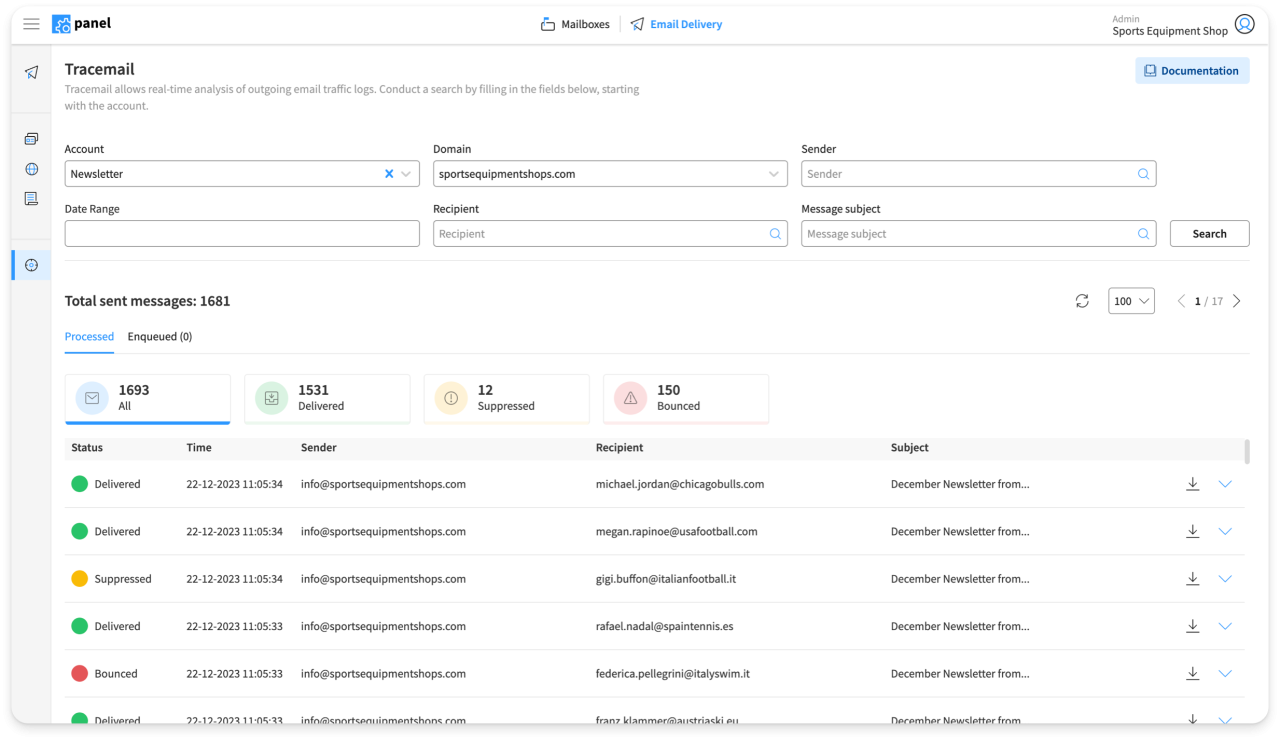
Tracemail analyzes email traffic in real time
Tracemail allows you to analyze email traffic logs in real time, directly from your Control Panel. This enables you to respond more quickly and accurately to your users’ support requests.
How Tracemail for Email Hosting works
Tracemail, developed entirely by the Qboxmail research and development team , receives email traffic logs in real time from all the infrastructure’s servers (POP, IMAP, SMTP, Webmail, MX). The logs are processed and normalized so that they can be consulted through the Control Panel and API with very fast access times.
This information is then aggregated to generate Metrics , accessible through API , useful for generating further Dashboards and useful analyzes for the business of your customers.
The purpose of Tracemail is to provide our customers with a tool, which can be consulted independently, to access essential information, necessary to provide technical support to their customers regarding requests for assistance. All in full compliance with the users’ Privacy .
Access Analysis
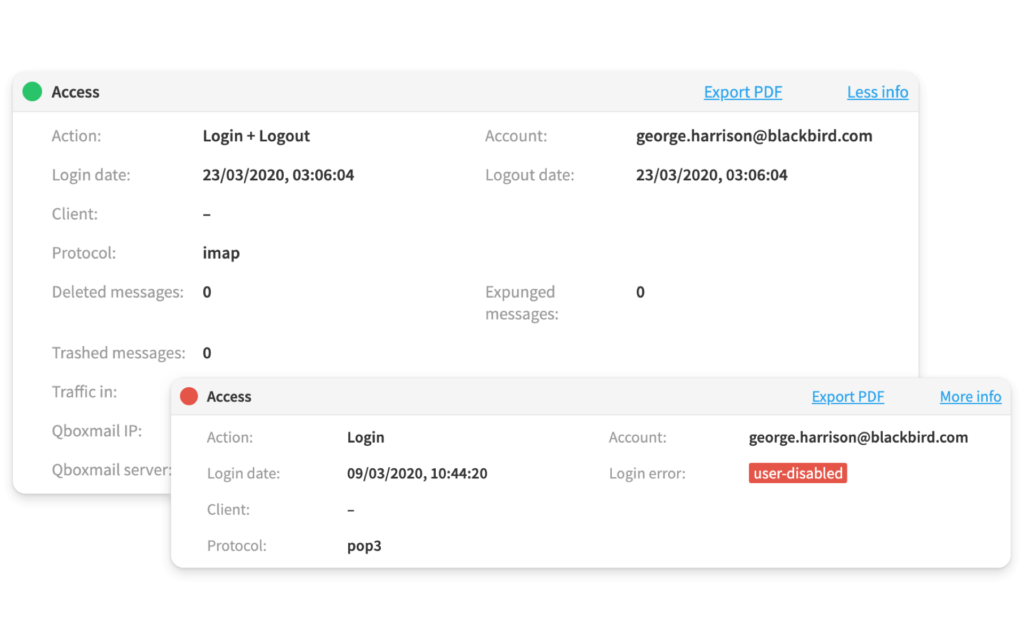
The Access section allows you to monitor user login and logout within the POP, IMAP and Webmail services. The accesses are divided between “Successful” and “Failed”. At the time of logout, the amount of traffic generated and the number of messages deleted within the session are recorded for POP and IMAP sessions, an extremely useful data for tracing any abnormal deletion of emails.
For unsuccessful logins, the reason is recorded (e.g. incorrect password, disabled user, unauthorized IP, invalid OTP) so as to be able to guide the user in a precise manner towards the resolution of any problem accessing email services.
Incoming messages analysis
The analysis of incoming messages allows you to check the result of the Antivirus and Antispam tests on incoming emails and the delivery status of email messages, down to the detail of the name of the folder in which the message was delivered. Any external forwarding of the message or automatic replies sent to senders are also visible.
For rejected or quarantined messages, you can check further details on why the Email Security system has decided not to deliver the email message to the user.

Outgoing messages analysis
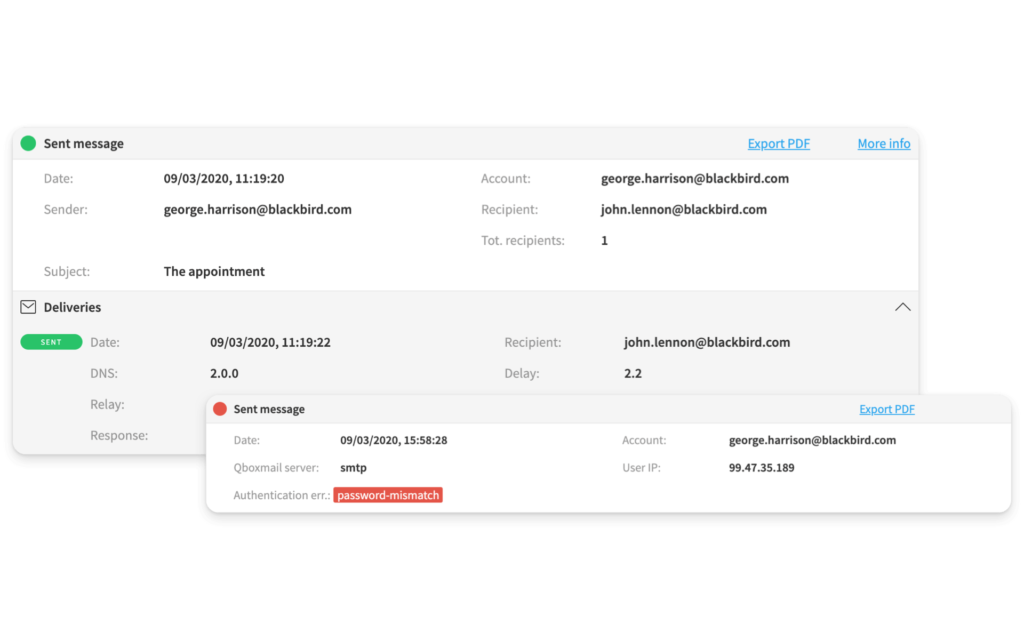
Outgoing message analysis allows you to check the delivery status of emails sent by users from their mailboxes, making it possible to determine in real time whether a message that has just been sent has already been delivered to the recipient’s server or is still queued.
The outgoing messages section allows you to see in detail the response of the remote server in order to analyze, understand and resolve any problems with email delivery or even just respond in a timely and precise manner to user assistance requests.
Why doesn’t the email I sent arrive?
How many times have you ever had to answer the fateful question of one of your customers “Why doesn’t the email I sent arrive?”. Until now, with your old provider, you didn’t know what answer to give, because theirs was always “everything works fine with us”.
Finally with Tracemail you can answer this question independently , and many others, giving the correct answer to your customers, without having to wait for an answer from others.
Take advantage of API integration
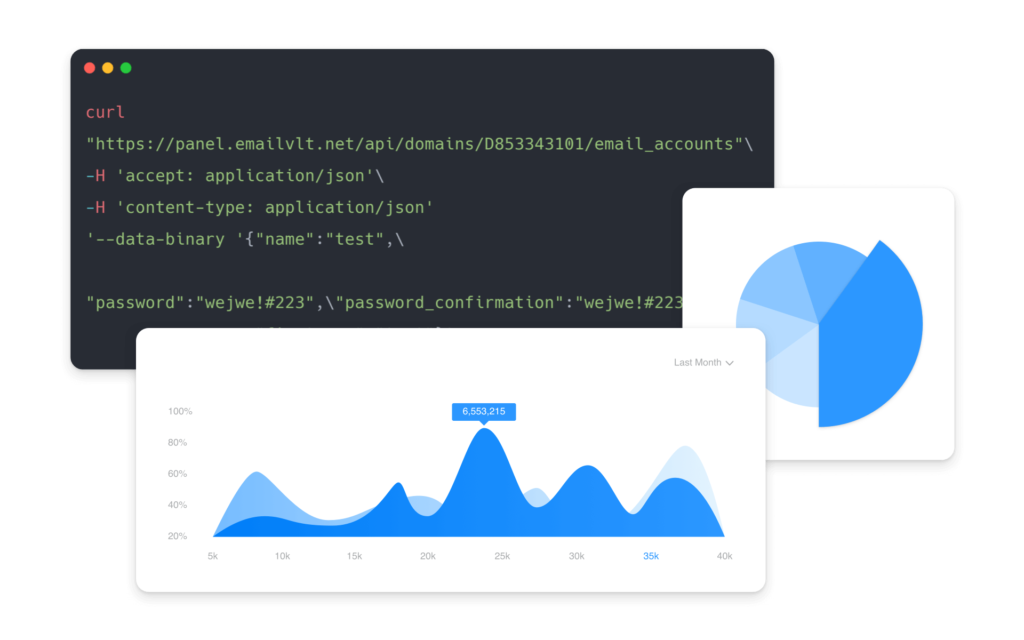
With API integration, you can access email usage metrics and build reports and dashboards for your customers. For example, you can show how many emails they have sent and received during the day, both in detailed and aggregated views.
Tracemail also analyzes Email Delivery
Real-time log analysis is also available for Email Delivery, the SMTP Relay service designed to send large volumes of transactional and promotional emails with high deliverability.
We retain logs of sent emails for 30 days, and with Tracemail you can analyze in detail whether a message has been delivered or, if not, understand the specific reasons for non-delivery.
Bounces are classified into categories to clearly highlight their root causes. This makes it easier to identify and fix deliverability issues, such as those related to email provider policies.