Email Delivery: SMTP Relay with dashboards, log analysis and reports

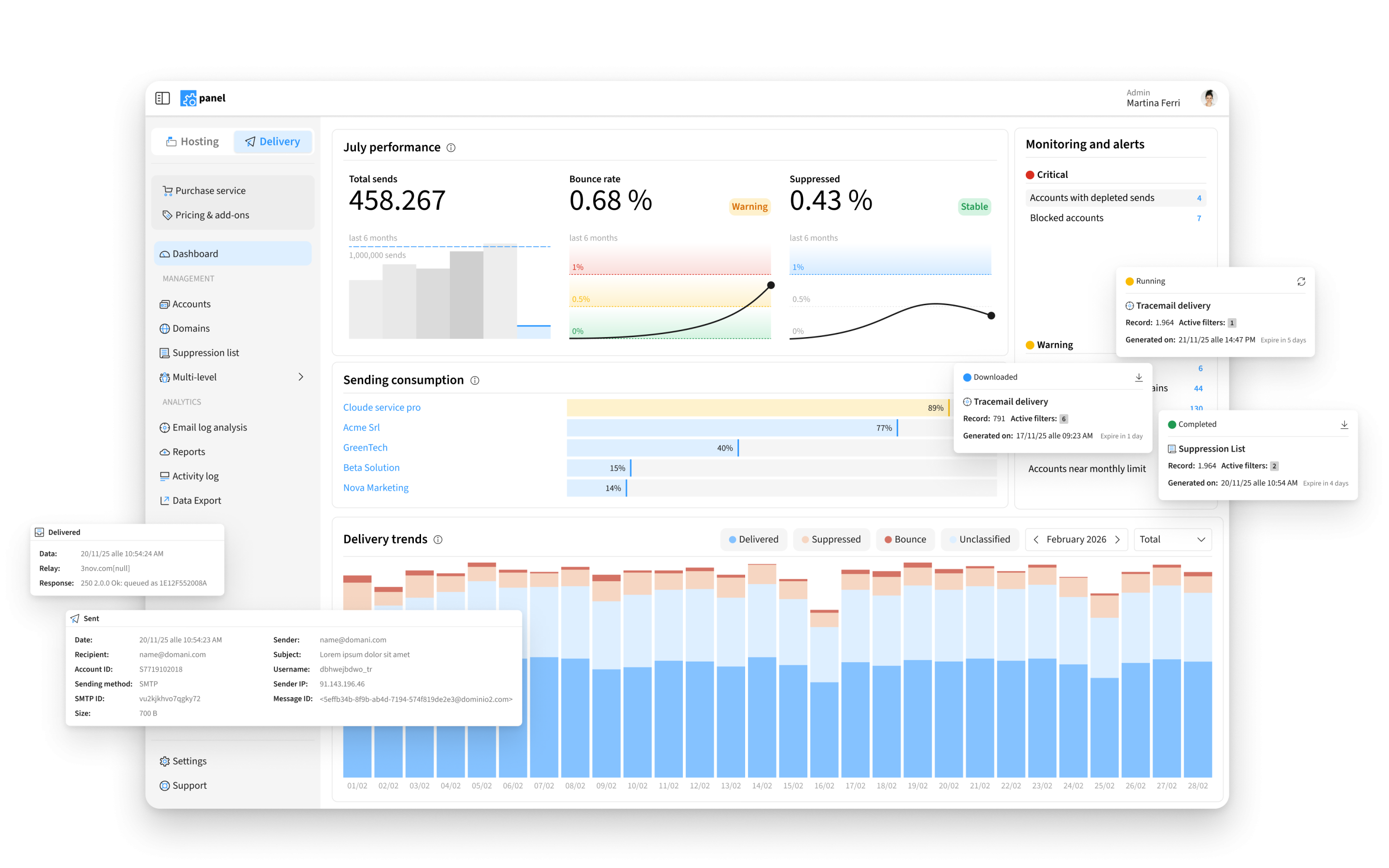
Email Delivery is now available in a new version of the service, designed to make it easier to manage, monitor and analyze email sending.
The new interface introduces more useful dashboards, simpler navigation, an improved Tracemail Delivery and a new Data Export feature to export more complete reports in CSV format.
In addition, Email Delivery can now also be requested by users who do not use Qboxmail Email Hosting and is available with a free account forever, including 5,000 emails per month.
What Email Delivery is and what an SMTP relay service is used for
Email Delivery is Qboxmail’s SMTP relay service, designed to send transactional and promotional emails from applications, e-commerce platforms, CRMs, management software, email marketing software and external platforms.
An SMTP relay service allows you to entrust email sending to a dedicated infrastructure, instead of managing it directly from your own server or application. This makes it possible to send automated and high-volume communications, monitor email sending and use dedicated tools to analyze what happens after each message is sent.
Email Delivery is designed for companies, developers, software houses, e-commerce businesses, providers and ICT partners that need to send emails via SMTP and have more precise control over data, logs, errors and sending results.
With this new version, Email Delivery becomes more complete and easier to use: not only for sending emails, but also for consulting data, analyzing logs and exporting reports that are useful in everyday work.
More useful dashboards to monitor email sending
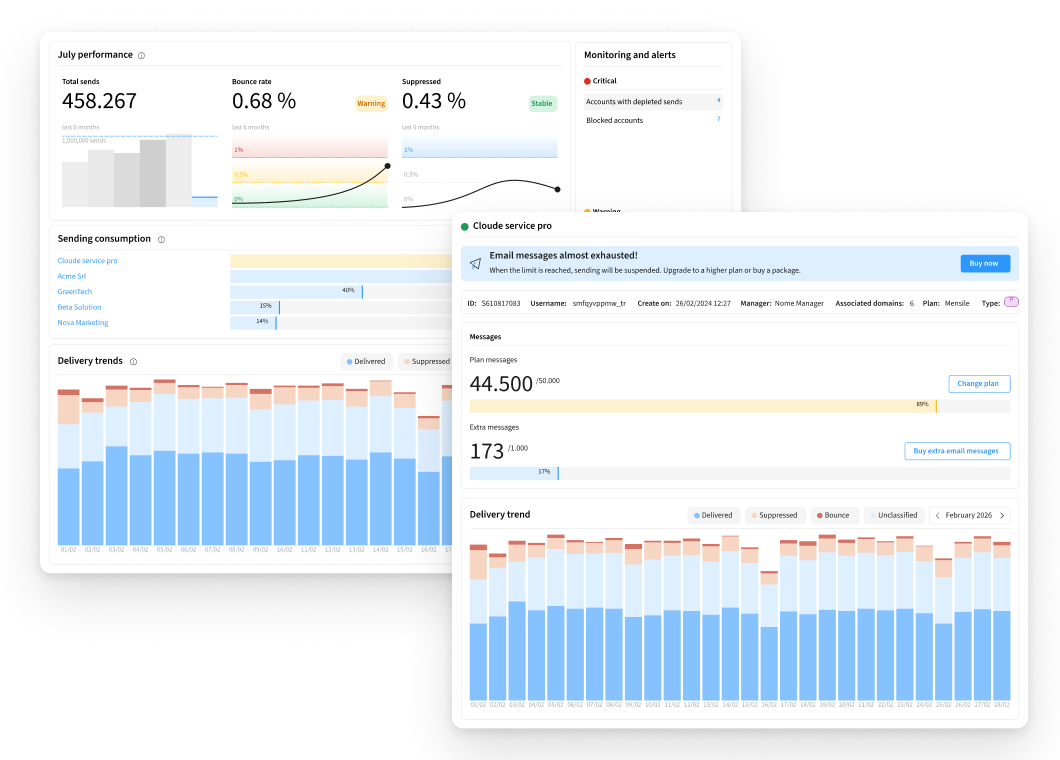
Anyone who manages email sending needs to quickly understand what is happening: how many messages are being sent, how the service is being used, whether there are any anomalies or whether some accounts require attention.
For this reason, the new Email Delivery dashboards have been redesigned to make it easier to consult account and sending data.
The information is organized more clearly, so you can monitor service usage, check sending trends and identify situations that may require further investigation more quickly.
Tracemail Delivery: simpler and faster log analysis
When a message is not delivered, is rejected or generates an error, the first need is to understand what happened.
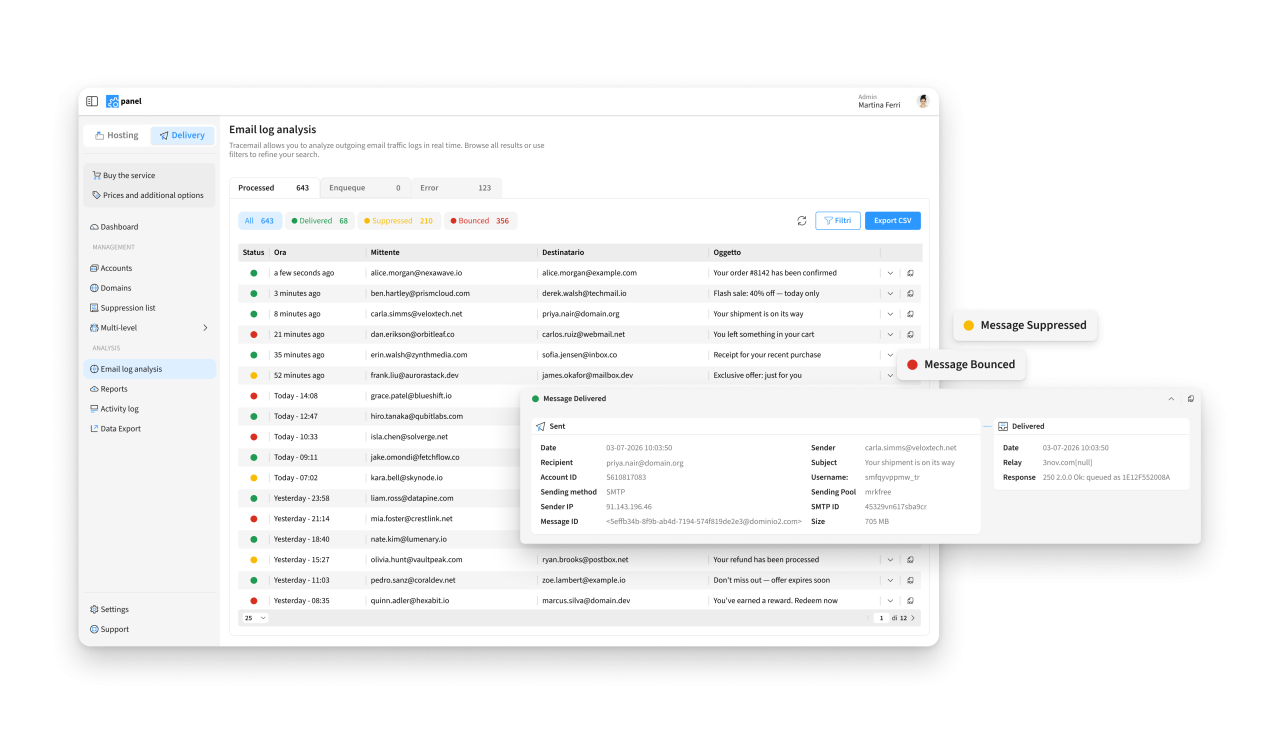
For this reason, Tracemail Delivery has been improved with a new design and new filters, designed to make email log search and analysis easier.
With Tracemail Delivery, you can search for information about sent messages more precisely, check message status and reconstruct the path of emails. This helps reduce the time needed to identify an event, interpret an error or respond to a support request.
Data Export: more complete reports, ready to export
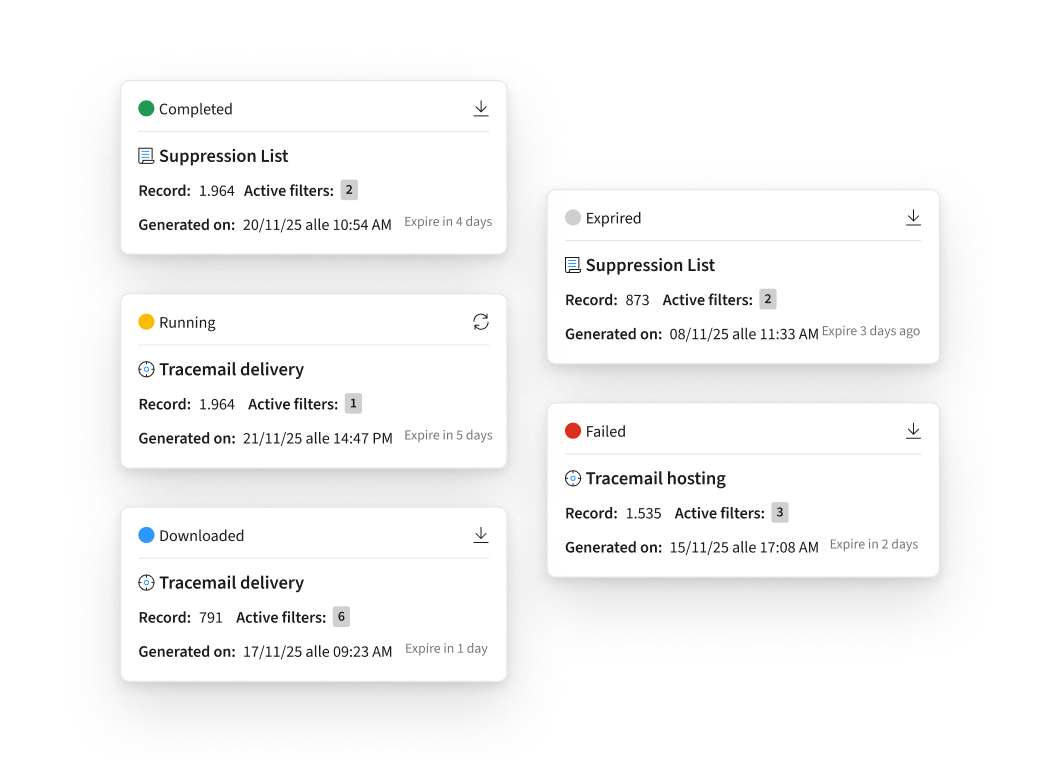
In addition to consulting data in the Control Panel, it is often necessary to export it for internal analysis, periodic checks, operational reviews or reporting.
With the new Data Export feature, you can export more complete data in CSV format related to the Suppression List and Tracemail Delivery.
This allows you to work with data outside the Control Panel, integrate it into internal processes, share it with other departments or store it for control and analysis activities.
A new interface to work better
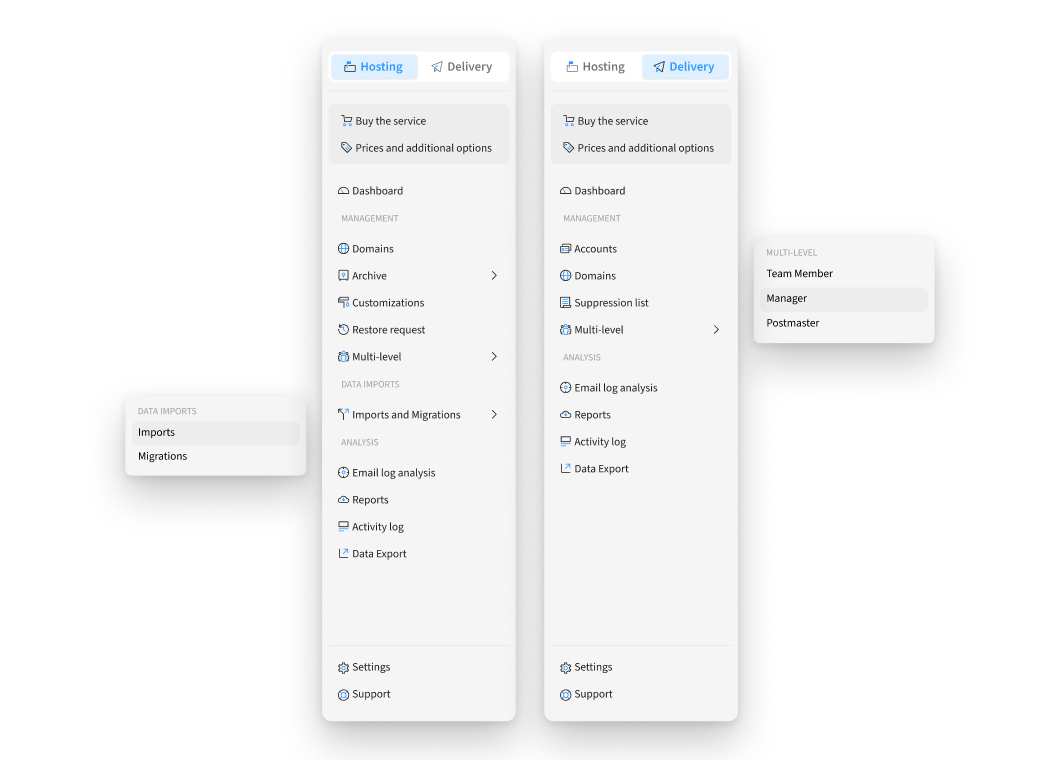
The new version of Email Delivery also introduces a completely redesigned layout and a new user experience.
The new sidebar makes access to the main areas of the service more immediate, so you can move more easily between dashboards, logs, settings and operational tools.
The interface has been redesigned to make work simpler and more linear: the main features are more accessible, navigation requires fewer steps and information is easier to consult.
Email Delivery is also available with a free plan
Email Delivery can now also be requested by users who do not use Qboxmail Email Hosting.
This makes the service accessible to companies, developers, software houses, e-commerce businesses, providers and ICT partners that need an SMTP relay service to send transactional and promotional emails through a dedicated infrastructure.
A free account forever is also available, with 5,000 emails included per month.
The free plan allows you to start using Email Delivery with limited volumes, test the service and access the main tools to manage, monitor and analyze email sending.
You can view Email Delivery pricing or request activation of the free plan by filling in the dedicated form.
Start using the new version of Email Delivery
If you already use Email Delivery or are already a Qboxmail customer, you can use the new version of the service or activate Email Delivery directly from your Control Panel.
If you are not a Qboxmail customer yet, fill in the dedicated form to request access.
In both cases, you can start with a free account forever, including 5,000 emails per month.