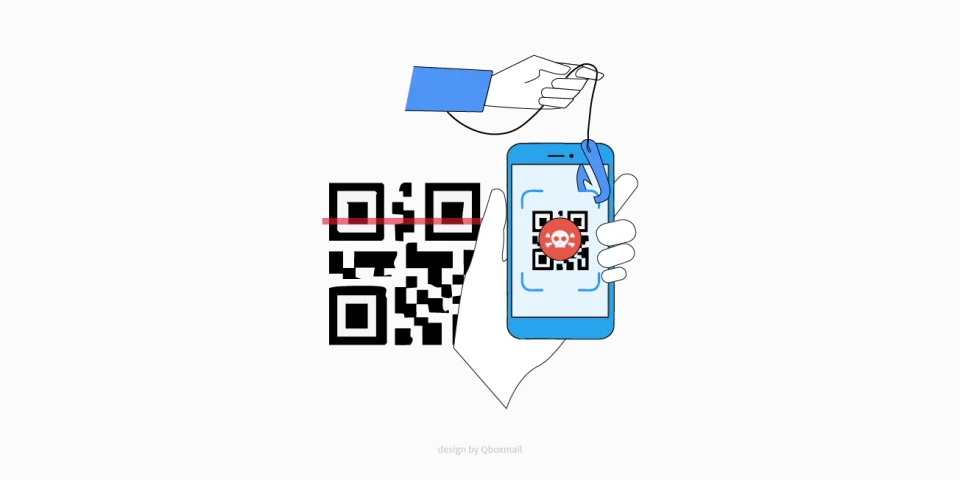
Credential Theft: Recognize and Block Abuse


Theft of credentials ranks among the fastest and most underestimated threats that can disable your corporate email. When attackers steal credentials, they turn the account into a perfect channel for spam, phishing, and data loss, with direct impact on your reputation and deliverability. In this article, we explain how to spot warning signs and how Qboxmail’s multi-layer protection stops abuse before it becomes a problem.
How Credential Theft Occurs
Targeted Phishing and Scams
Attackers most often rely on phishing: a user clicks a fake link and submits login credentials on a page that perfectly mimics the real login interface. Even though nearly all Email Service Providers now support two-factor authentication (MFA) via OTP apps or codes, anyone who hasn’t enabled that extra layer remains vulnerable.
Malware and Keyloggers
Malware on a computer or smartphone can extract saved credentials from the email client (desktop or mobile) or browser. These malicious programs often harvest session cookies too, allowing attackers to bypass MFA unless the user has locked out unrecognized devices.
Unsecured Connections
Using public Wi-Fi or misconfigured TLS/SSL makes it easier to intercept credentials (man-in-the-middle attacks). If a user connects via POP/IMAP/SMTP without enforcing TLS 1.2+ or OAuth2, they expose login and password in plaintext.
Credential Stuffing
When users reuse the same password across multiple services, attackers can use credential databases leaked elsewhere (e.g., from an unrelated platform breach) to automate login attempts via SMTP/IMAP/POP for email accounts.
Red Flags of Compromise
Email infrastructure logging systems have become sophisticated, but certain signals stand out immediately. These indicators act as first alarms for ongoing credential theft:
- Suspicious sending spikes. A normal user rarely sends more than 2–3 emails per minute in interpersonal mode. If logs show tens or hundreds of authenticated SMTP connections in seconds, someone is abusing the account for spam or phishing.
- Logins from inconsistent locations. When the same account connects from multiple IPs in different countries within a short time, block access urgently before diving into logs. Frequent travelers can predefine “whitelisted” devices in the control panel to avoid false positives.
- Rising DMARC/SPF failures. A compromised account that sends from unauthorized hosts triggers destination filters showing “SPF=FAIL” or “DMARC=FAIL.” A sudden surge in these bounce-backs clearly signals abuse.
- Unusual bounce and spam complaint growth. If “550 5.7.1 DMARC policy” errors or feedback loops from ISPs (Gmail, Outlook, Yahoo) spike in a short period, the account is likely under attack.
How Qboxmail Protects Your Mailboxes
Qboxmail applies a multi-layer approach: automatic controls trigger as soon as anomaly thresholds hit.
Auto-Block and Immediate Notifications
Once we detect dozens of SMTP attempts within seconds, we suspend the account to protect the mailbox and your domain’s reputation. Simultaneously, the system sends an alert to the user (via alternate email or SMS), instructing them to change their password immediately.
Dynamic IP Isolation
Each Qboxmail SMTP cluster uses dedicated IPs continuously monitored for reputation. If a single user generates suspicious traffic spikes, we isolate that IP and reassign it to lower-volume use. This ensures any abuse doesn’t harm the overall IP pool reputation.
Enforcing TLS 1.2+
We require TLS 1.2+ for all SMTP/IMAP/POP connections. Any attempt to connect without encryption (ports 25/465/587 without TLS) is rejected immediately.
Tracemail Dashboard for Continuous Monitoring
With Tracemail, you keep tabs on logins, failed attempts, and bounce events in real time. If an account shows anomalous SMTP send patterns, Tracemail flags it and temporarily suspends further SMTP activity as a precaution.
Practical Tips to Reduce Risks
With a few measures, you minimize credential theft risk and safeguard your domain:
- Enable two-factor authentication (MFA) on every mailbox. Don’t underestimate its daily importance.
- Use strong, unique passwords of at least 12 characters, combining uppercase, lowercase, numbers, and symbols.
- Review access logs regularly. With Tracemail, check weekly which IPs or devices connect to mailboxes. If you spot an unfamiliar IP, force a password change and, if needed, suspend the account. A weekly check is enough to catch anomalies before they escalate.
- Keep software updated. Outdated systems expose you to malware that can capture credentials in seconds. Always update operating systems and antivirus/antimalware tools.
Offer Your Clients Qboxmail Anti-Abuse Protection!
Try Qboxmail Cloud and see a service built to boost your company’s security and productivity.
Start your free trial now.

Smishing: How to Protect yourself From SMS Scams
Vishing attacks: how to spot and prevent phone scams