How to Schedule an Email with Qboxmail Webmail

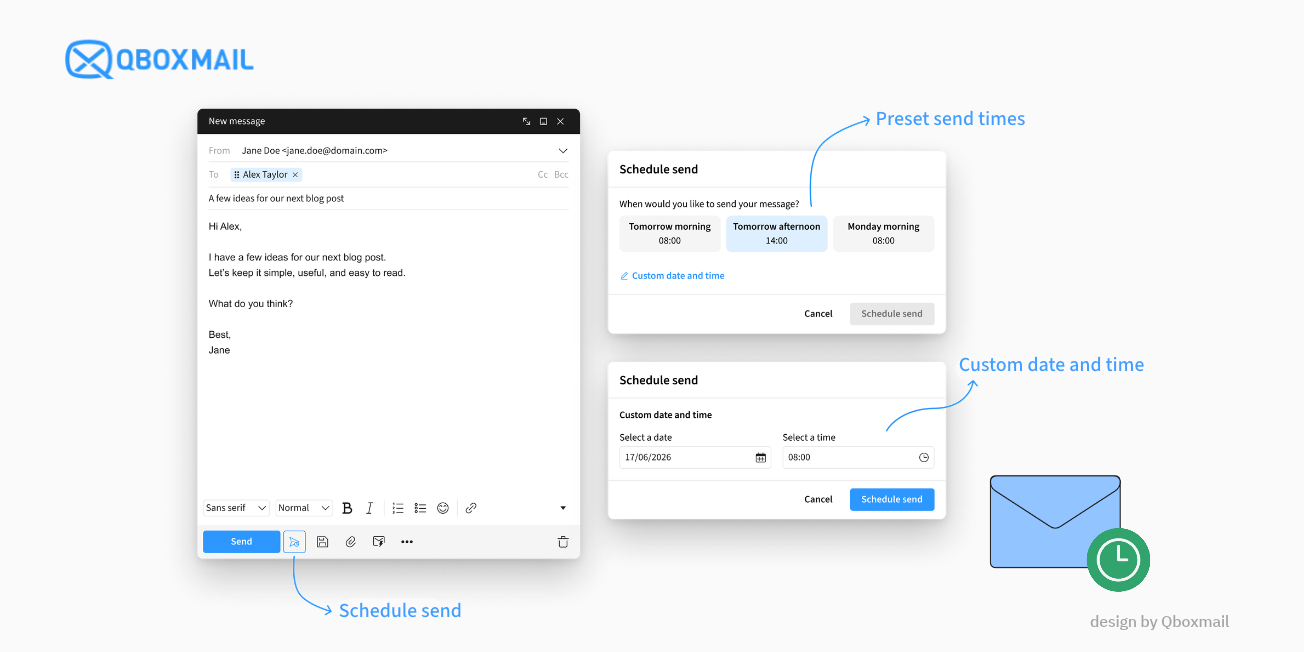
With Qboxmail Webmail, you can schedule emails by choosing the date and time you want them to be sent.
This feature helps you organize work communications, prepare emails in advance, and choose the best time to reach your recipients.
What is scheduled email sending and how does it work?
Scheduled email sending is a feature that allows you to compose a message and set it to be sent automatically at a later date and time.
For example, you can write an email at 6:00 PM and schedule it to be sent at 9:00 AM the following morning, or prepare a message over the weekend and schedule it for Monday.
With the latest Qboxmail Webmail update, this feature is now available directly within the Webmail interface.
How to schedule an Email with Qboxmail Webmail
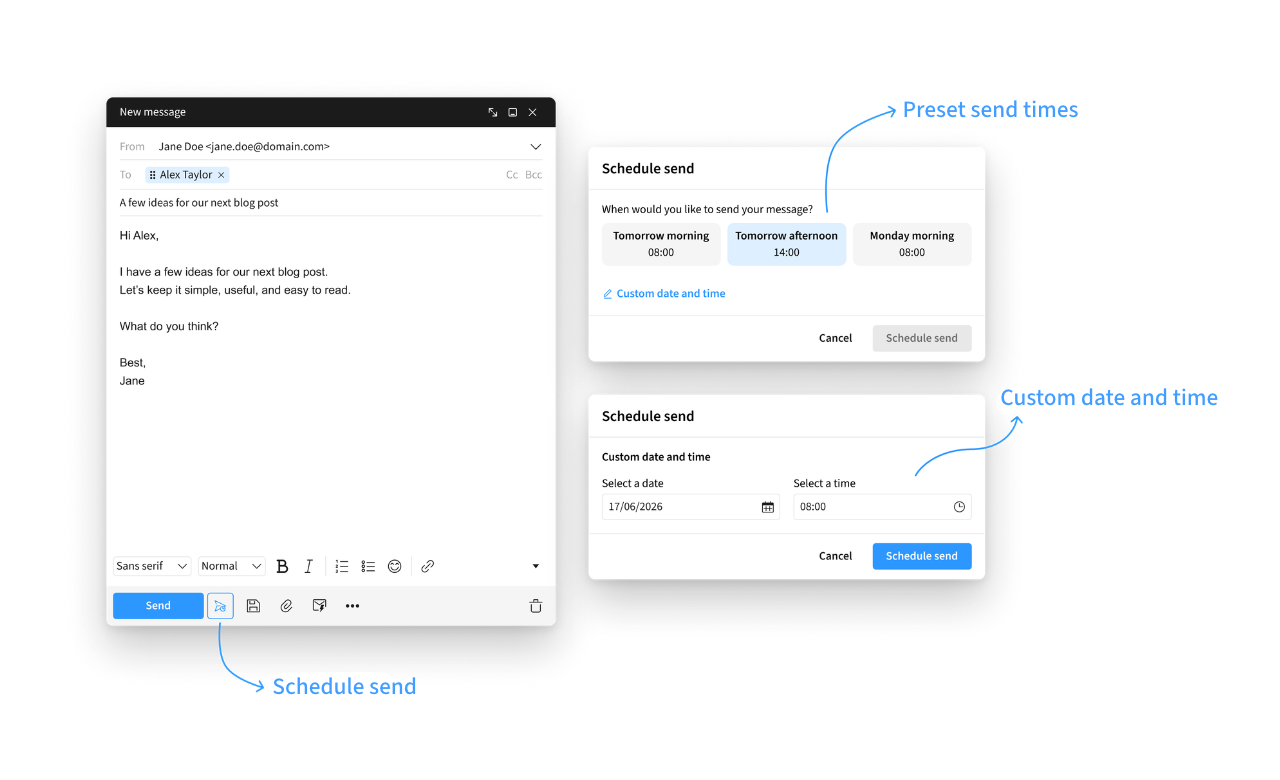
Scheduling an email with Qboxmail only takes a few steps:
- Log in to Qboxmail Webmail and open your email account.
- Compose a new message, entering the recipient’s email address, subject, and message content.
- Select the scheduled send option to choose when to send your email.
- Set the date and time you want the email to be sent.
- Confirm the scheduled send.
Your email will then be scheduled to send automatically at the selected time, without requiring any manual action.
When Is It Useful to Schedule an Email?
Scheduling emails can be useful in various situations, especially when managing professional communications.
Send Emails During Business Hours
You may write an email in the evening or over the weekend but prefer it to be received during regular business hours.
With scheduled email sending, you can finish writing your message when it suits you and schedule it for the following day, for example, at 9:00 AM.
Communicate with Clients and Colleagues Across Different Time Zones
When working with international clients or colleagues, you can prepare an email during your working day and schedule it to be sent at a more convenient time for the recipient, taking their time zone into account.
Prepare Emails in Advance
You can schedule emails related to deadlines, appointments, or company updates by preparing messages in advance and setting them to be sent at your preferred time.
Scheduled Email Sending Is Now Available in Qboxmail Webmail
Qboxmail Webmail is part of the Qboxmail Email Hosting service and allows users to access their email accounts directly from a browser or by configuring an email client.
In addition to managing emails, it provides tools for organizing communications and daily activities, including Contacts and Calendar.
With the introduction of scheduled email sending, Qboxmail expands its Webmail features, offering greater flexibility in managing professional email communications.
Try Scheduled Email Sending with Qboxmail Webmail
If you’re looking for a professional email hosting service with scheduled email sending, start your free 30-day trial of Qboxmail Email Hosting.